 Linkker
7 free Pocket alternatives for reading later and organizing links
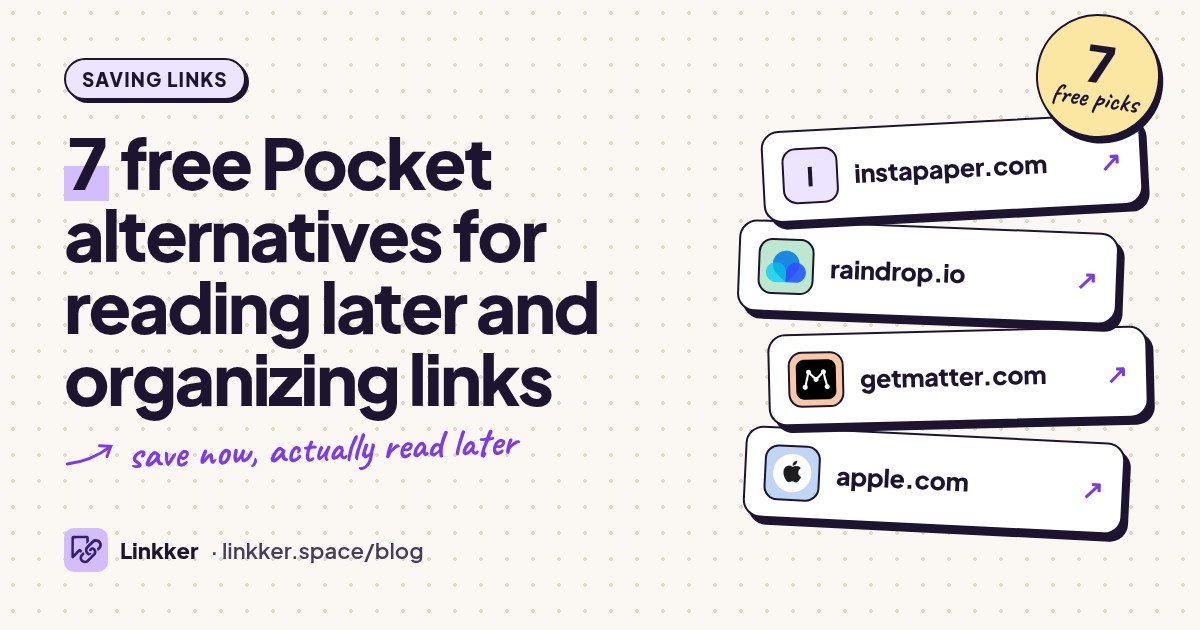
These free Pocket alternatives suit readers who want to save articles, organize useful websites, and find their links again across devices. Instapaper is the closest starting point for article reading; Raindrop.io makes more sense for a mixed collection of articles, tools, videos, and reference pages.
Pocket has closed, so guides that still recommend creating an account or starting a fresh export are outdated. Mozilla confirmed the shutdown. The options below cover ongoing free use, including one open-source reader that requires your own hosting. Pay attention to the difference between saving a link and keeping an article copy: a bookmark alone cannot protect you when the original page disappears.
-
Free plan
Instapaper
instapaper.comSave articles in a clean reading view and read them across your phone, browser, and supported Kobo.
Start here if Pocket was mainly your queue of articles to finish later. Instapaper's free account includes unlimited saves, folders, and syncing across the web, iOS, and Android; its mobile apps also support offline reading. That makes it a straightforward choice for reading during a commute rather than managing a research database. The important boundary is search: searching the full text of your saved articles requires Premium, as do permanent archiving and Kindle integration. Compare the official features before building your routine around those extras.
- Best for
- Article reading across devices
- The catch
- Requires an account. Full-text search, permanent archiving, and Kindle integration are paid features; the free website/d
-
Organize saved websites into a searchable library of collections and tags.
Choose Raindrop.io when your saves include useful tools, recipes, videos, and shopping references alongside articles. Collections give each project a home, while tags help connect related links across those collections. Its free plan allows unlimited bookmarks and collections across unlimited devices, without a trial deadline. The catch matters if you remember a sentence but forget the source: full-text search and permanent page copies belong to Pro. Treat the free version as an organized map of the web rather than a guaranteed archive. See Raindrop's free-plan explanation.
- Best for
- A mixed library of useful links
- The catch
- Requires an account. Full-text search, permanent page copies, and automatic cloud backups are paid features.
-
Keep a tagged article-reading library on iPhone, iPad, and the web.
Matter suits readers who save from a desktop browser and return to articles on an iPhone or iPad. Its published free offering includes an unlimited library, saving through mobile and browser extensions, article parsing, and unlimited tags. Those basics cover a regular reading queue without a countdown. Be careful with the feature-heavy homepage: advanced audio, full-text search, and other reading extras are part of Premium. Pick it for the basic save-and-read workflow, and check the platform fit first: Matter lists iPhone, iPad, and web rather than an Android app.
- Best for
- iPhone and iPad article queues
- The catch
- Requires an account. Advanced audio and full-text search require Premium, and there is no listed native Android app.
-
Use the Reading List already built into your Apple browser to save pages for later.
Safari is a practical Pocket alternative on iOS if you want fewer accounts and already browse on Apple devices. Share a page to Reading List, then mark it read or remove it when finished. You can save pages for offline access and use iCloud to keep the list available across your Apple devices. Enable automatic offline saving before relying on it during a flight or commute. Its limitation is organization: a simple reading queue offers less structure than a dedicated bookmark manager. Apple explains the Reading List controls.
- Best for
- A simple Apple-only reading queue
- The catch
- Requires an Apple device. Offline saving needs enabling or selecting, and organization is basic.
-
Keep a basic read-later queue inside Chrome instead of opening another service.
Chrome's Reading List is enough when the real problem is a row of tabs you keep meaning to read. On desktop, add the current tab through Bookmarks and lists, or right-click its tab and choose Add tab to reading list. The side panel lets you return to those pages and manage the queue. This is a low-effort option for existing Chrome users, though it lacks a dedicated article library's organization. Also, adding a link does not automatically make it available offline on desktop; Google documents downloading pages separately.
- Best for
- Turning open tabs into a reading queue
- The catch
- Basic organization, with platform differences. Desktop offline reading requires downloading the page separately.
-
Sync bookmarks between supported browsers and mobile apps using storage you choose.
floccus fits people who used Pocket chiefly to move useful links between devices. The free, open-source extension and mobile apps sync bookmarks through services including Google Drive, Dropbox, or a compatible server. You choose the storage connection instead of starting another hosted bookmark library. It takes more setup than a conventional read-later app, and it does not turn pages into clean offline articles. Safari is unsupported. On phones, bookmarks sync into the floccus app rather than automatically appearing in your mobile browser's bookmarks. The official feature matrix explains those boundaries.
- Best for
- Bookmark syncing across different browsers
- The catch
- Requires compatible storage and setup. Safari is unsupported, and mobile syncing stays inside the floccus app.
-
Run your own article-saving service with a clean reader and control over the archive.
wallabag is the technical option for readers who want ownership of their saved articles. It extracts article content into a readable archive and works with browser extensions and mobile clients. The software is free and open source, but this recommendation applies specifically to self-hosting on infrastructure you already have. The official managed service offers a trial rather than a permanent free account. Choose wallabag only if installing software, maintaining updates, and managing backups sound reasonable; otherwise, the earlier options are easier places to start. Its hosting comparison makes the distinction clear.
- Best for
- Technical readers with existing hosting
- The catch
- You must provide and maintain hosting. The official managed service is a timed trial, not an ongoing free option.






A practical routine for saves you will actually read
Choose one reading inbox. Save three representative pages first: a long article, an image-heavy guide, and something you want offline. Check the reading view and offline behavior on the device you actually use before moving a larger collection.
Keep a small Read next queue and move lasting references into named collections or folders. Once a week, read a few saves, archive useful material, and delete links that no longer interest you. Where an export option exists, keep an occasional backup. If your collection is mostly study material, our guide to Chrome extensions for students covers related research and deadline tools.
Quick answers
Which free Pocket alternative is closest to Pocket?
Instapaper is the most direct starting point here for saving articles, reading them in a clean view, and returning on another device. Raindrop.io better suits a broad bookmark collection.
Which Pocket alternative app works on iPhone and Android?
Instapaper supports both, with free article syncing. Raindrop.io also supports a library across devices. Choose based on whether you mainly read articles or organize links.
What is a simple Pocket alternative for iOS?
Safari Reading List is already built in. Matter is another option if you want a separate reading app with tags.
Is there a free Pocket alternative for Kobo?
Yes. Instapaper supports reading saved articles on supported Kobo eReaders with a free account. Device compatibility and software support matter, and folders, tags, and notes do not all carry over. Follow Kobo's setup instructions and check Instapaper's Kobo limitations before moving your workflow.