 Linkker
8 free alternatives to ChatGPT, with the catch for each
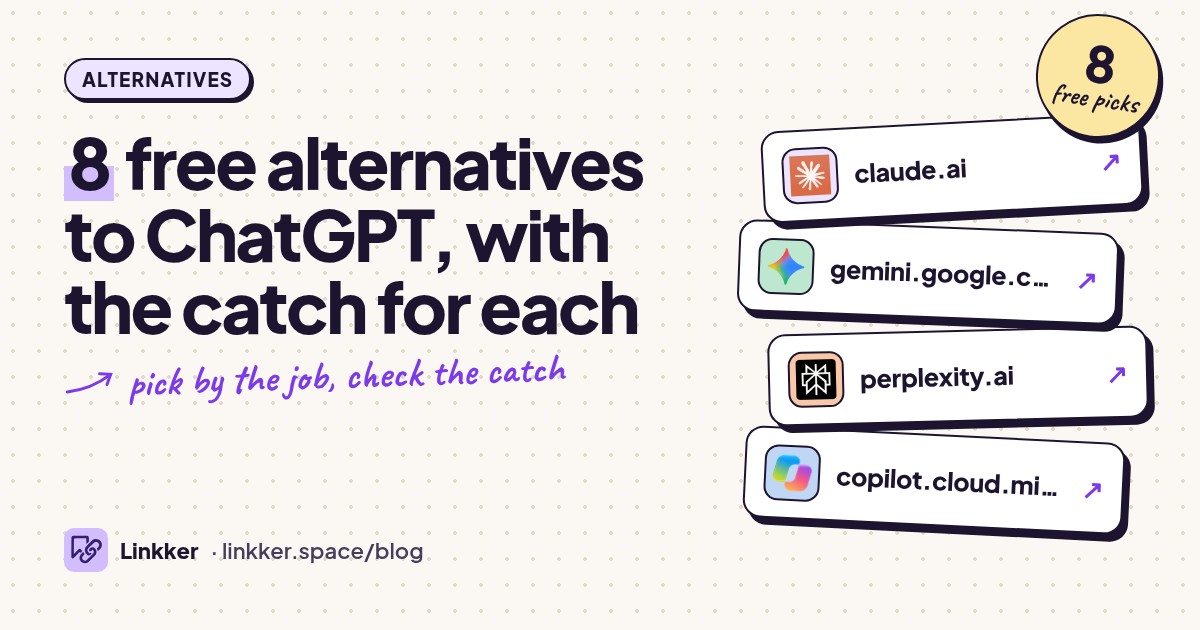
These free alternatives to ChatGPT suit people who want help writing, researching, coding, or studying without another subscription. If you're replacing a paid ChatGPT workflow, you may miss generous usage allowances and having several tools together. The options below can replace specific jobs, but none promises unlimited access or an identical set of features.
Choose by the task you repeat most: editing drafts, checking sources, explaining code, or questioning documents. Each pick offers ongoing free access to its core job, with its catch spelled out. For a workflow centered on making pictures, our free AI image generators list covers that job more closely.
-
Draft, revise, and discuss writing with an assistant that also handles code and uploaded content.
Claude is a useful starting point when the ChatGPT job you want to replace is writing: turning notes into a draft, tightening an explanation, or working through revisions. Give it your audience, a sample paragraph, and specific editing instructions rather than asking it to simply improve everything.
Its free offering includes writing, coding, and text and image analysis. The practical drawback is limited usage: longer conversations and heavier tasks affect how far your allowance goes. It suits occasional focused sessions better than an uninterrupted workday. See Anthropic's free features and usage explanation.
- Best for
- Writing and revision
- The catch
- An account is required, and usage limits can interrupt longer sessions.
-
Get help drafting text, explaining concepts, and planning everyday tasks with Google's AI assistant.
Gemini replaces the everyday assistant part of ChatGPT: rewrite an awkward email, explain a topic in simpler language, or turn a messy task list into a workable plan. Its support for different input formats also makes it worth considering when your starting material goes beyond typed questions.
Free access does not mean access to every model or advanced feature. Google applies usage limits that depend on the task and conversation, and resource-heavy features can become unavailable during busy periods. Choose it for routine assistance rather than assuming it replaces a paid research workflow. Check Google's feature overview and limits.
- Best for
- Everyday questions and planning
- The catch
- Free model and feature access is restricted, with usage limits that can change.
-
Search the web through a conversation and follow citations back to the underlying sources.
Perplexity fits the research questions people often bring to ChatGPT: explain a topic, locate relevant pages, then answer follow-up questions. Its standout detail is the emphasis on linked sources, which gives you somewhere concrete to check an answer instead of accepting a confident paragraph.
The free plan covers basic searches, while advanced searches and file uploads have tighter allowances. You also cannot freely choose advanced models. Use it to find and compare evidence; open the cited pages before relying on a claim, since a citation alone does not establish accuracy. Perplexity documents the boundaries in its plan comparison.
- Best for
- Research with source links
- The catch
- Advanced searches and uploads are limited, and free users do not get advanced model selection.
-
Ask web-based questions, brainstorm ideas, and get writing help through Microsoft's assistant.
Copilot can replace quick ChatGPT conversations about writing, summaries, ideas, and questions that benefit from web search. It is especially relevant if you already use Edge, where Microsoft also offers webpage summarization and insights.
Microsoft distinguishes basic access from features that need a personal account, including chat history and longer conversations. Another boundary matters: free Copilot access does not automatically give you every Copilot feature inside desktop Word or Excel. Pick it for browser assistance, then check the requirements for any Office workflow you need. Microsoft's free-versus-Microsoft-365 explanation makes that distinction explicit.
- Best for
- Web questions and Edge users
- The catch
- Some features require sign-in; availability varies, and desktop Office features have separate requirements.
-
Chat with multiple AI models through DuckDuckGo without creating an account.
Duck.ai suits quick explanations, rewriting, and brainstorming when you want less account setup. Its useful difference is the ability to access models from several providers through one interface, with DuckDuckGo anonymizing requests. DuckDuckGo says these interactions are not used to train AI models.
That makes it a practical replacement for casual ChatGPT text conversations, but model choice still matters: access through Duck.ai does not include every feature of each provider's own application. Free usage also has a daily cap. Read DuckDuckGo's account and privacy explanation and usage limits.
- Best for
- Chat without an account
- The catch
- Daily usage is capped, and advanced models require a subscription.
-
Use Mistral's conversational assistant for drafts, explanations, and web searches.
Mistral Vibe is worth considering for the mix of writing help and web questions you might otherwise handle in ChatGPT. If you recognize the name Le Chat, this is the same service under its newer name; the familiar conversational experience remains available as Vibe Chat.
Start with a concrete job such as drafting a project brief or explaining a short code sample. The free plan includes chat and search, but messages, searches, and coding sessions have limits. Treat extended automation as a separate requirement to investigate. Mistral confirms the name change and lists its free-plan boundaries.
- Best for
- General chat and drafting
- The catch
- Messages, web searches, and coding sessions have restricted allowances.
-
Work through explanations, writing, and code questions with DeepSeek's free consumer assistant.
DeepSeek is an option for replacing ChatGPT conversations about how something works: explain a function, break down a problem, or suggest revisions to a draft. Its official consumer app supports web search, a thinking mode, and file text extraction, with chat history available across devices.
The important catch goes beyond features. DeepSeek collects prompts and uploaded content, and its privacy policy describes personal-data storage in China. Use that information when deciding what to submit. Its free consumer assistant also should not be confused with developer API access. See the official app description and privacy policy.
- Best for
- Code and problem explanations
- The catch
- Login is required for the app; submitted content is collected, and personal data is stored in China.
-
Ask questions about a collection of documents and study materials you supply.
Gemini Notebook, formerly NotebookLM, replaces a narrower ChatGPT job: discussing a set of source materials. Use it to compare readings, summarize a report, or find explanations across your notes. Keeping related material in a notebook gives repeated questions a shared reference point.
It suits students and people working through document collections more than someone seeking an all-purpose chat companion. The standard offering is free with a Google account, but notebook and source counts are capped, and generation allowances apply. Google's plan documentation explains access and limits. Check answers against the original material when a detail matters.
- Best for
- Studying source documents
- The catch
- A Google account is required, with limits on notebooks, sources, and generated outputs.








Compare the free alternatives
Each row names the tool alongside its best use, keeping the comparison to three columns.
| Best for | Works in | Catch |
|---|---|---|
| Claude: writing revisions | Web, desktop, mobile | Account and usage caps |
| Gemini: everyday assistance | Web and mobile | Model and feature restrictions |
| Perplexity: cited research | Web and mobile | Advanced search and upload caps |
| Copilot: web questions | Web, desktop, mobile, Edge | Account needed for some features |
| Duck.ai: account-free chat | Web | Daily cap; restricted model selection |
| Mistral Vibe: general drafting | Web and mobile | Message and search caps |
| DeepSeek: code explanations | Web and mobile | Account and data-handling considerations |
| Gemini Notebook: source-based study | Web and mobile | Account, source, and generation caps |
Quick answers
What is the best free alternative to ChatGPT?
Choose by the job. Claude is a useful starting point for revising writing, Perplexity for finding sources, and Duck.ai for chatting without an account. These are task-based recommendations, not a claim that one assistant wins every comparison.
Which websites like ChatGPT work without signing up?
Duck.ai explicitly offers free access without an account. Microsoft also describes basic Copilot access without sign-in, while reserving features such as history and longer conversations for signed-in users. Both still have access restrictions.
What is a free alternative to Claude AI?
Gemini and Mistral Vibe cover drafting, explanations, and general conversation. Perplexity fits better when your main need is web research with citations. Your existing Claude chats and preferences will not automatically carry into another assistant.
Can free tools replace a paid AI subscription?
They can cover occasional writing, explanations, and basic research. The harder replacement is sustained work with large uploads, advanced models, or repeated research tasks. Check the allowance for your actual workflow, and remember that switching services means supplying relevant context again.