 Linkker
The 9 best free AI image generators
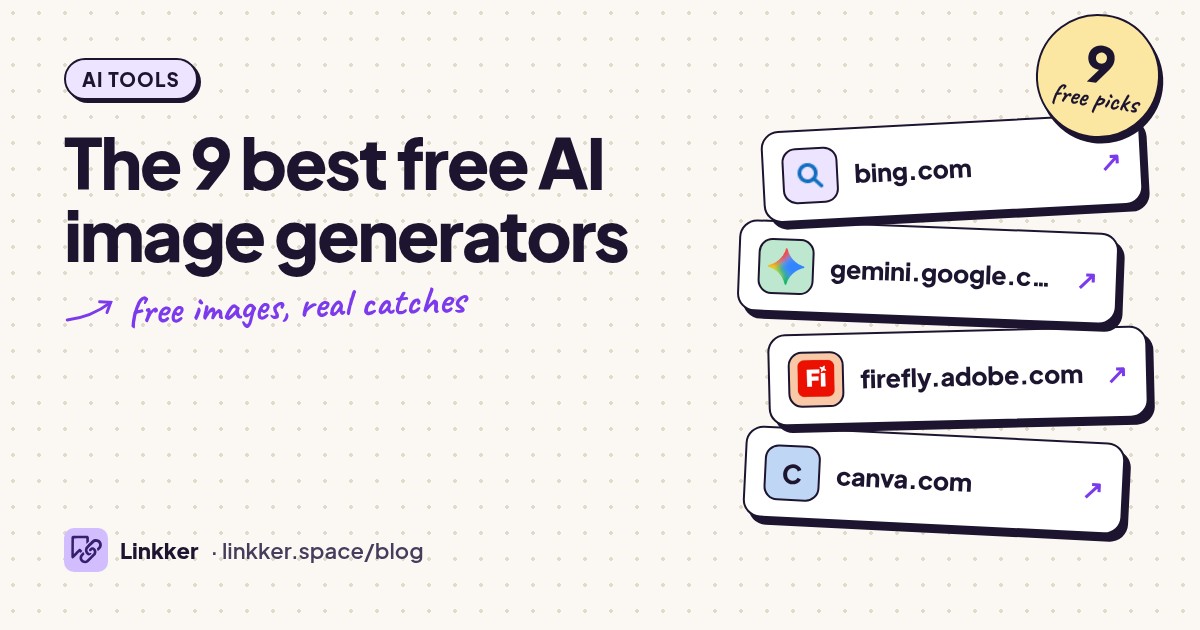
These picks for the best free AI image generator suit people who need a blog illustration, presentation visual, poster concept, or background without paying.
Every tool qualifies through ongoing free image generation rather than a timed trial, with its official site and restrictions checked before inclusion.
-
Turn a written description into an illustration, realistic scene, or background.
Start here for everyday images: a presentation background, an illustrated recipe header, or a picture of an idea that stock photography cannot cover. The interface keeps the main task simple, while examples help you get past an empty prompt box.
Its useful distinction is continued free generation at standard speed after fast creations run out. Expect waiting rather than a promise of unlimited instant results. Sign in for broader access, and check which model is selected before spending time refining a prompt. Bing explains its free creation modes.
- Best for
- Most people making everyday images
- The catch
- Fast creations are limited; standard generation can be slower, and broader access requires a Microsoft account.
-
Generate an image and request changes in the same conversation.
Choose Gemini when you expect to revise the picture: move the subject, change the setting, or try a different visual style. You can also upload an image and describe an edit, making it useful when your starting point already exists.
Work in small steps. Ask for one change, inspect the result, then continue; a long list of revisions makes unintended changes harder to spot. Image generation is included without an AI subscription, although usage limits and availability apply. See Google's image instructions and access limits.
- Best for
- Generating and editing through conversation
- The catch
- Google sign-in is required; usage caps vary, and image features depend on age, country, and account eligibility.
-
Generate images in a workspace built around creative tasks.
Firefly suits people who want to direct an image through a creative interface instead of handling everything through chat. Use it for illustration ideas, background experiments, and alternate visual treatments before committing to a finished design.
The important distinction is between the free workspace and everything advertised inside it. Free users receive recurring, limited daily generations on selected models; access does not extend equally to every model or feature. Start with an available image option and check the allowance before planning several rounds of revisions. Adobe documents free access here.
- Best for
- Visual experiments with creative controls
- The catch
- An Adobe account is required, daily generations are limited, and only selected models are included.
-
Free plan
Canva
canva.comGenerate a picture and place it directly into a finished design.
Canva makes sense when the image is only one part of the job. Generate a background, open it in the editor, then add your own headline, labels, and layout for a slide or social post. That is often more practical than asking an image model to render every word correctly.
Its standout convenience is the route from generation to composition and export. Keep an eye on your AI allowance and any premium elements added to the design. Canva explains image generation and downloads and its shared usage allowance.
- Best for
- Slides, social posts, and composed graphics
- The catch
- Sign-up is required; AI usage is limited, and some assets, models, and editing features require an upgrade.
-
Explore image models and presets for illustrations and visual concepts.
Leonardo.Ai suits readers who want more choices after a basic prompt box starts feeling restrictive. Its presets and model options give you different starting points for character concepts, fictional environments, and illustration styles.
Free tokens replenish daily, but a token does not equal one image: settings and operations change how much a generation consumes. Check the displayed cost before making a batch. Free creations are public, so use it for ideas you can comfortably share. Leonardo's plan comparison also explains the nonexclusive commercial license granted to free users.
- Best for
- Illustrations and concept exploration
- The catch
- Daily tokens run out, free creations are public, and advanced controls have restrictions.
-
Generate design concepts that combine pictures with written words.
Consider Ideogram for a poster concept, an illustrated title, or a scene containing a sign. Its focus on typography and design makes those sensible starting tasks. Keep requested wording short and proofread every letter before sharing the result.
The free-access detail matters: eligible accounts receive recurring weekly credits when signing in through supported providers. The amount can vary, so confirm that your account receives them before building a workflow around it. AI editing and reference features have separate credit requirements. See the official credit and eligibility explanation.
- Best for
- Posters and images containing short text
- The catch
- Weekly free credits depend on account eligibility and supported sign-in; some editing tools require priority credits.
-
Generate images from text without creating an account.
Craiyon is useful when avoiding another account matters more than getting a polished final asset. Describe the subject, choose a style and shape, and generate an initial idea. Its gallery also lets you inspect prompts, which helps when you know the look you want but struggle to describe it.
Treat the free output as a draft or casual creation: images carry a watermark and are public. Editing uploads, upscaling, and other finishing operations use a separate credit system. The official free-access explanation spells out those differences and asks free users to credit Craiyon.
- Best for
- Quick ideas without sign-up
- The catch
- Free images are watermarked and public, generation is limited, and busy periods can bring waits.
-
Free plan
NightCafe
creator.nightcafe.studioGenerate AI art with daily free credits and community prompts.
NightCafe fits a creative habit: trying an illustrated landscape, exploring a character idea, or responding to a daily theme. Its challenges provide a concrete brief when coming up with the idea is harder than writing the prompt.
The free route combines recurring credits with optional rewards. Watch the cost of your chosen model and settings rather than assuming every generation uses the same amount. Some rewards require creating first and then claiming them. Read the free-access overview and daily reward explanation before relying on a streak.
- Best for
- Art practice and daily creative prompts
- The catch
- An account and credits are needed; some models are restricted, and daily rewards require participation and claiming.
-
Generate raster images and editable vector graphics for personal exploration.
Recraft is worth considering when you want to explore icons, flat illustrations, or graphics that can scale. Its vector generation is the standout detail: editable SVG output offers a different starting point from a fixed-size picture.
The free plan renews credits daily, but its usage terms make this a specialist pick. Free images are public, owned by Recraft, and not licensed for commercial use. Use it for personal experiments and learning rather than client deliverables, business branding, or merchandise. Recraft states those restrictions on its image generator page.
- Best for
- Personal vector and illustration experiments
- The catch
- Daily credits are limited; free images are public, owned by Recraft, and unavailable for commercial use.




How to choose the best free AI image generator
Start with Bing for a general image, Gemini for conversational changes, or Canva when you need a finished layout. Choose Leonardo for model exploration, Ideogram for short text inside a design, and Craiyon when skipping sign-up matters. Recraft's commercial-use restriction deserves particular attention before you choose it for work.
Compare tools with one useful prompt: “Wide editorial illustration of a small home office, warm afternoon light, muted blue and orange, empty space on the left for a headline, no text.” Specify the subject, composition, style, and intended shape. Change one detail between attempts so you can tell what helped.
Before generating a large batch, check the available allowance, public visibility, download options, and permitted use. Free generation does not automatically include private output, unrestricted commercial use, or every editing feature. If the still image will become a moving scene, the guide to free AI tools for video creation covers that next step.
Quick answers
Which free image generator should I start with?
Bing Image Creator is the broadest starting recommendation here. Its free standard-speed mode lets you continue after fast creations run out, with waiting as the main tradeoff.
Is there a free AI image editor?
Gemini supports uploading an image and describing changes, subject to account eligibility and usage limits. Inspect the whole result afterward: a requested edit can also alter details you wanted to keep.
Does a free image download mean no watermark?
No. Craiyon's free images include a watermark. Check export restrictions before refining an image, and download a copy rather than relying on a gallery link as permanent storage.