 Linkker
11 useful websites for students that solve specific study problems
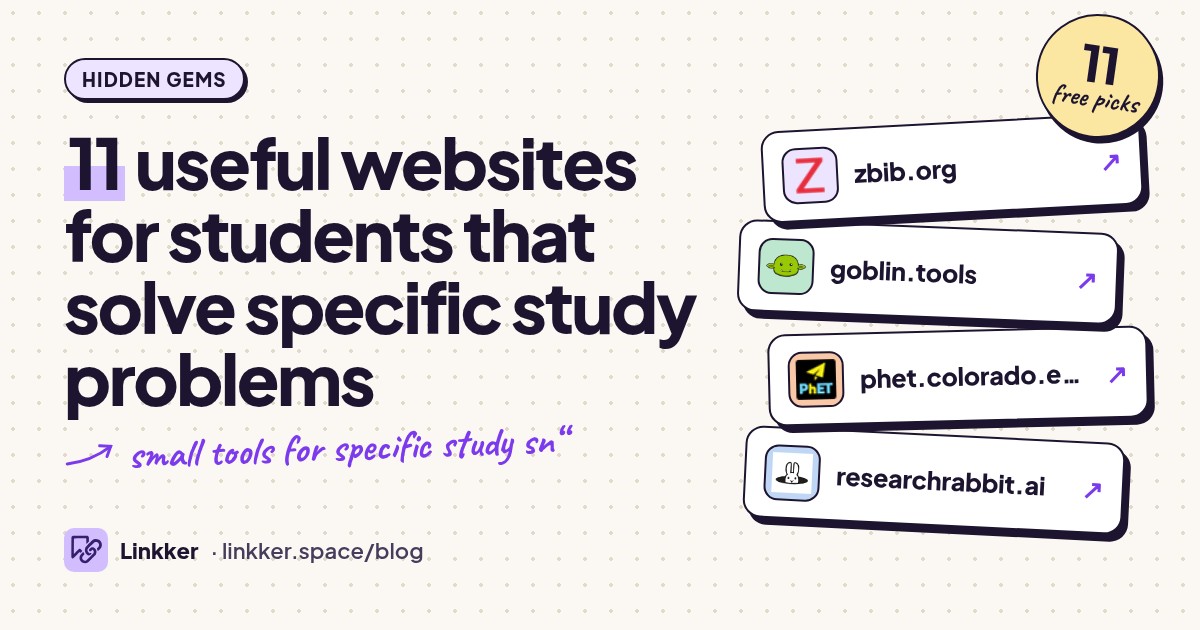
These useful websites for students help you finish specific school and college tasks for free, from building a bibliography to understanding a stubborn science concept. Each earns its place by solving a problem you can recognize immediately.
Some are quiet little helpers; others are familiar names with a feature you may have missed. Start with the task holding you up. The free options below cover the core job without a trial countdown, and each entry explains the limitation before you commit.
-
Build a bibliography from book titles, URLs, DOIs, and other source details.
Reach for ZoteroBib when your essay is finished but its reference list is still a pile of tabs. You can generate citations without installing software or creating an account, then switch the bibliography to your required style. It suits short assignments that don't need a full research library. Check imported names, dates, and capitalization before submitting. Export your work, too: clearing browser storage can erase your bibliography. The official FAQ explains saving and recovery.
- Best for
- A reference list for one assignment
- The catch
- Bibliographies live in browser storage by default; clearing it can delete your work.
-
Turn an overwhelming assignment into smaller, more manageable tasks.
Open Magic ToDo when “prepare my presentation” feels too vague to begin. Enter the task and ask it to break the work into steps; subdivide a step again if it still feels too big. This is a practical use of AI for students who need help starting. Treat the output as a draft checklist you can edit. Its About page confirms that the website's core tools are free and warns that AI results are guesswork.
- Best for
- Getting started on overwhelming assignments
- The catch
- AI steps and time estimates can be wrong; some advanced features require an upgrade.
-
Explore science and math concepts by changing variables in interactive simulations.
Use PhET when a paragraph about circuits, forces, or fractions leaves you guessing. Adjust a variable and watch the model respond, then predict what another change will do. That makes it useful before a lab or while reviewing a concept you can't picture. Students can run simulations without registering. Teachers need a free educator account for certain supporting materials, as the account help page explains. Simulations support understanding but don't provide every practical skill a physical lab teaches.
- Best for
- Seeing how science concepts behave
- The catch
- Some teacher materials require an educator account; simulations simplify real experiments.
-
Find related academic papers through citation connections and visual maps.
Reach for ResearchRabbit when you've found one relevant paper but need to understand the surrounding research. Explore its references, citations, and related articles, then save promising sources into collections. The visual connections give you another route beyond repeatedly changing search keywords. Its free tier includes article discovery, citation maps, and collections. You'll need an account, and finding a paper doesn't guarantee access to its full text. Read the sources before deciding they support your argument.
- Best for
- Expanding a literature review
- The catch
- An account is required, advanced search controls are restricted, and some papers have paywalled full text.
-
Create flowcharts and diagrams for assignments and presentations.
Open draw.io when your report needs a process diagram and arranging arrows in a document is taking too long. Build the diagram with shapes and connectors, then export an image or PDF for your assignment. Keep the editable file so revisions stay manageable. The official site confirms that its online diagramming tool is free and needs no sign-up. You choose where files are stored, so saving them somewhere you can find again is your responsibility.
- Best for
- Explaining a process visually
- The catch
- You manage file storage and backups; choosing a cloud storage service may require its account.
-
Read complete, peer-reviewed textbooks online or download free PDFs.
Try OpenStax when your lecture notes skip a step and you need a fuller explanation with examples. Search for the topic inside a relevant textbook rather than starting another scattered web search. Downloading the PDF also gives you reading material for an unreliable connection. Its textbook access guide confirms free digital access. Most books need no account, although some titles and supporting resources do. Match the chapter to your syllabus: a useful explanation may follow a different sequence from your course.
- Best for
- A second explanation of a course topic
- The catch
- Some books and extra resources require a free account; coverage may differ from your syllabus.
-
Edit images and layered design files directly in your browser.
Use Photopea when a group project arrives as a PSD file or your presentation image needs more than a quick crop. Layers, masks, and text tools let you make detailed edits without installing a desktop editor. The official homepage describes its browser editing and PSD support. It's particularly useful for project posters and graphics. Expect a busy interface and a learning curve; the free editor is supported by advertising.
- Best for
- Editing project graphics and PSD files
- The catch
- The free editor displays ads, and detailed editing takes time to learn.
-
Plot equations and explore how changing values changes their graphs.
Reach for Desmos when you can manipulate an equation but can't picture what it means. Plot two expressions together to compare them, or use a slider to investigate a parameter. It suits checking your intuition during algebra and calculus practice. Explain the pattern yourself afterward so the graph becomes part of your reasoning. You can start graphing immediately, but the saving guide says saving work to an account requires a free sign-in.
- Best for
- Connecting equations with their shapes
- The catch
- Saving graphs to your account requires signing in; graphs alone don't explain your working.
-
Build interactive geometry constructions and explore math in two or three dimensions.
Choose GeoGebra when a geometry diagram needs to move. Construct a shape, drag a point, and investigate which relationships remain true. Its 3D tools also help when a flat sketch makes a spatial problem harder to understand. This suits students exploring a conjecture and teachers demonstrating one. The official FAQ confirms free noncommercial educational use and explains that online saving and sharing need an account. A convincing visual pattern still needs mathematical justification.
- Best for
- Geometry constructions and spatial reasoning
- The catch
- Online saving and sharing require an account; free use is subject to noncommercial licensing.
-
Write LaTeX documents in a browser and compile them into PDFs.
Use Overleaf when your course asks for LaTeX or a report contains enough equations to make ordinary formatting frustrating. Starting from a template gives you a document structure while you learn the syntax. It's a sensible fit for shorter technical assignments. Create an account and use the ongoing free plan. Check the plan limits before moving a large project: complex documents can exceed the free compilation allowance, and collaboration is limited.
- Best for
- Short technical reports with equations
- The catch
- Requires an account; free projects have compilation time and collaborator limits.
-
Collect research sources and reuse them in citations across longer projects.
Move to Zotero when you're reusing sources across assignments or managing a dissertation. Its browser connector collects references, while collections and tags help organize your library. The free, open-source tool also inserts citations into supported writing apps. The fuller workflow involves installing software. Local use isn't capped by Zotero's online attachment allowance, but syncing PDFs can fill the limited free file storage. Review imported reference details instead of assuming every field is correct.
- Best for
- Research that spans multiple assignments
- The catch
- The full workflow needs installed software, and free online attachment storage is limited.











Keep sites organized by the task they solve
Save a small set under labels such as “cite a source,” “understand a concept,” and “make a diagram.” Add a sentence about when each helped. Linkker can save those links from your phone or browser and sort them into smart AI categories, making the right tool easier to find during your next assignment.
Quick answers
What are some free tools for students that don't require signing up?
ZoteroBib handles quick bibliographies, PhET runs interactive simulations, and draw.io makes diagrams without registration. Desmos also lets you begin graphing before signing in. Save or export anything you need to keep.
What are the best AI tools for students?
Choose by task: Goblin Tools helps break assignments into steps, while ResearchRabbit helps discover related papers. Both offer useful free functionality. Neither removes the need to check suggestions and read original sources.
Which are useful websites for kids and teachers?
PhET is a good starting point for exploring science and math together. GeoGebra suits interactive math demonstrations and constructions. Pick an activity that matches the learner's level and give them one specific thing to investigate.