 Linkker
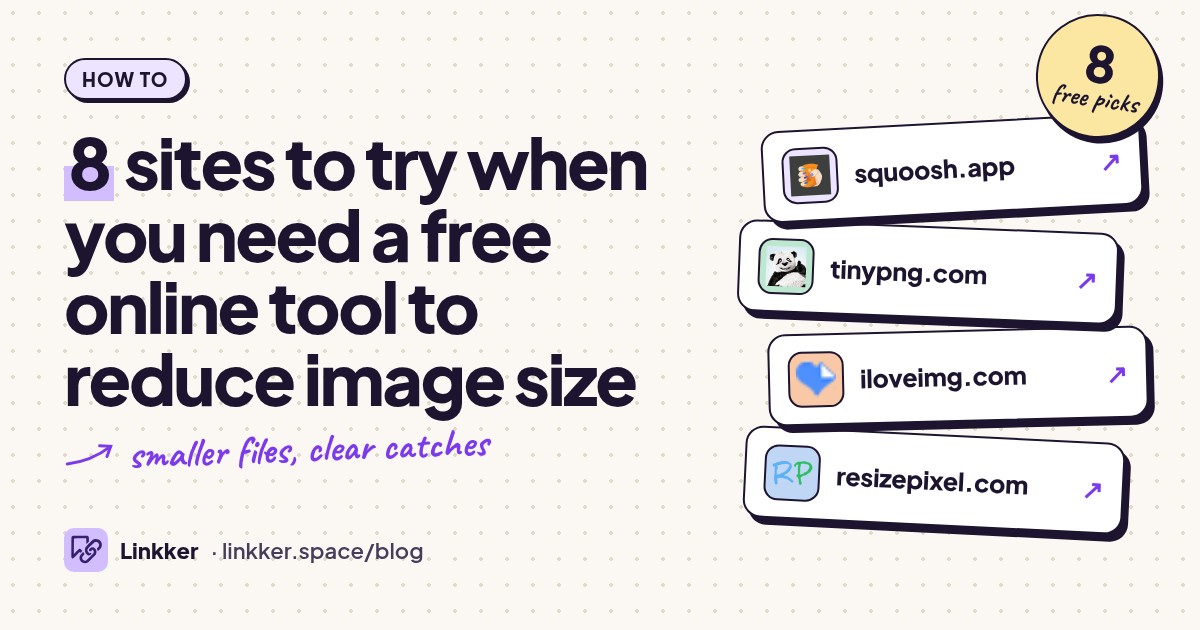
8 sites to try when you need a free online tool to reduce image size
To reduce image size for free, open your picture in Squoosh, lower the quality setting, and download the smaller copy; these tools suit anyone facing an upload limit or sharing oversized photos. If the file is still too big, reduce its pixel dimensions and check that text and faces remain clear.
File size means KB or MB; dimensions mean width and height in pixels. Compression can reduce the first without changing the second. Start with Squoosh for control, or choose a batch tool below when you have a folder of pictures.
-
Compress and resize an image locally in your browser while comparing the result with the original.
Squoosh is a useful starting point for a photo that needs to fit an upload limit. Its comparison view lets you inspect fine details before downloading, rather than guessing how much quality you can remove. Images stay on your device, and the project is open source.
Choose JPEG for a photo when compatibility matters, then adjust quality and, if needed, dimensions. The catch is the workflow: you work on one image at a time, so a large folder becomes repetitive. Source: Squoosh.
- Best for
- One image with careful quality control
- The catch
- Processes one image at a time; the compression settings take some experimentation.
-
Automatically compress a small batch of images without creating an account.
TinyPNG suits people who want to drop in pictures and download smaller copies with few decisions. Despite the name, it handles more than PNG, including JPG and WebP. Compression preserves dimensions, which helps when a form requires a particular width and height.
The free web tool needs no account, but limits batch size and individual file size and displays ads. Files upload to its servers, and metadata is removed, so keep your originals if camera information matters. Source: TinyPNG.
- Best for
- Quick automatic batch compression
- The catch
- Small batches and per-file limits apply; images upload to a server and lose metadata.
-
Compress batches of JPG, PNG, SVG, or GIF files using automatic settings.
iLoveIMG is convenient when you have several pictures and want the same straightforward process for all of them. Select the images, run compression, and download the results. Its separate resize tool is useful if compression alone does not make a picture small enough.
The free plan includes batch compression, with processing limits and ads. You cannot choose the compression level, so this is better for routine reductions than a precise quality target. Already compressed files may shrink very little. Sources: free-plan details and compression FAQ.
- Best for
- Routine batches with automatic settings
- The catch
- Free processing limits and ads apply; there is no manual compression-quality control.
-
Reduce an image toward a chosen file size in KB or MB.
ResizePixel fits the familiar problem of an application form rejecting a picture because it exceeds a size limit. Its dedicated size tool accepts JPG, PNG, WebP, and GIF and lets you specify the file size you need. That is a more direct starting point than moving a quality slider without a target.
The service is free, but a strict size target can require visible quality loss. Inspect small text, signatures, and facial details after downloading; meeting the byte limit does not guarantee the image remains suitable. Source: ResizePixel.
- Best for
- Forms with a specific KB or MB limit
- The catch
- A very small target can reduce clarity; check the downloaded image before submitting it.
-
Compress multiple image formats locally with adjustable quality or color settings.
Image Compressor offers browser processing for JPEG, PNG, WebP, GIF, and SVG, with no registration, daily limit, or watermark stated on its site. It is useful when you want local processing and more than a single-image workflow.
One detail deserves attention: PNG compression converts images to a palette of up to 256 colors. That can work well for simple graphics, but photographs and smooth gradients may suffer. Review the result rather than assuming every PNG will look unchanged. Source: Image Compressor.
- Best for
- Local compression across several formats
- The catch
- PNG output uses a limited color palette, which can damage gradients and photographic detail.
-
Compress a batch of JPG photos locally and adjust each picture’s quality.
Compress JPEG keeps the job focused on JPG photos. Add a batch, compress it, then select individual thumbnails to fine-tune quality before saving. Processing happens in your browser, and registration is unnecessary.
Use it when some photos need gentler compression than others, such as a portrait alongside a picture containing small lettering. Batch size is limited, and this page is for JPEG files. Always start another attempt from the original rather than repeatedly compressing an already reduced download. Source: Compress JPEG.
- Best for
- JPG batches needing individual adjustments
- The catch
- Batch size is limited, and this tool page handles JPEG rather than mixed image formats.
-
Compress uploaded images in batches with an ongoing free processing allowance.
FreeConvert is another option for batch compression, especially if your images are already in supported cloud storage. Its compressor accepts JPG, PNG, and GIF, and offers file selection from your device or connected storage services.
The free allowance renews, so this is not a timed trial. However, jobs consume processing minutes, and free usage has daily and per-file restrictions. Ads, queues, and server uploads are additional tradeoffs. Choose it for occasional jobs rather than assuming unlimited processing. Sources: compressor and free allowance.
- Best for
- Occasional batches from cloud storage
- The catch
- Daily processing and per-file limits apply; files upload to servers, with ads and possible queues.
-
Reduce animated GIF size through compression and color reduction.
Ezgif is the specialist choice when the oversized image moves. Its GIF optimizer offers compression and color-reduction controls, giving you ways to shrink an animation while keeping it animated. Separate tools handle other image formats.
Start gently and compare the motion as well as individual frames. Strong compression can introduce noise, while fewer colors can make gradients patchy. The optimizer has a file-size ceiling; optional local processing has feature limitations, and some other tools require server uploads. Source: Ezgif optimizer.
- Best for
- Animated GIFs that exceed upload limits
- The catch
- File-size limits apply; aggressive settings harm appearance, and local processing supports fewer features.







How to reduce image size for free with Squoosh
- Open Squoosh and select or drop in your original picture. Keep the original as your backup.
- Choose an output format the destination accepts. JPEG is a practical choice for photos; use a format supporting transparency if you need a transparent background.
- Lower quality gradually. Compare the preview at normal viewing size, then inspect faces, edges, and small text more closely.
- If the file remains too large, enable resizing and reduce its width while keeping its proportions. Follow any minimum dimensions required by the upload form.
- Download the result and check its actual file size. Leave a little room below the upload limit, then open the saved file to confirm it looks acceptable.
Quick answers
How to compress image size?
Lower the image’s compression quality, reduce unnecessary pixel dimensions, or use a more efficient format accepted by the destination. Begin with the original each time. Changing a filename from .png to .jpg does not convert or compress the image.
Can I reduce image size without losing quality?
Sometimes. Lossless optimization removes redundant data without changing pixels, but savings depend on the original. Large reductions often require fewer pixels, fewer colors, or lossy compression. A picture can look very similar while still losing data; none of these tools can guarantee a dramatic reduction for every file.
Is there a free online tool to reduce PDF file size?
Yes, but use a PDF compressor when the file itself is a PDF. Converting document pages to JPG can discard searchable text and document features. See these free tools to compress PDF file size for options and their catches.