 Linkker
12 best free websites for portfolios
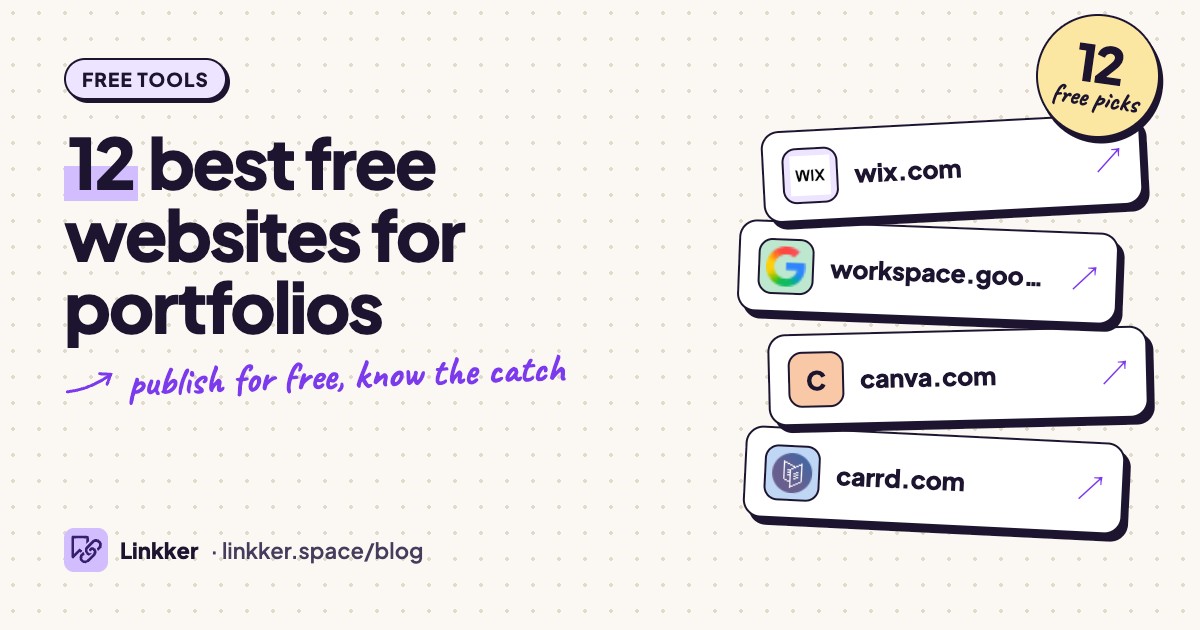
These free portfolio websites help students, job seekers, and freelancers turn their work into a link they can share with clients or employers.
Each option qualifies because it lets you publish a usable portfolio without a trial deadline, with free access and limitations checked against official product pages and help guides.
-
Build a complete portfolio website with galleries, project pages, and contact information.
Wix earns the first spot because its visual editor suits several kinds of portfolios, from photography galleries to detailed written case studies. You can start with a portfolio template and arrange your work into projects, with separate pages for your background and contact details.
The mobile editor is a useful extra: you can adjust how your portfolio appears on a phone. Free publishing includes hosting, so there is no separate server to configure. Choose it when you want a conventional website with room to organize different kinds of work. Wix’s portfolio features and free-plan explanation.
- Best for
- A first complete portfolio website
- The catch
- Wix ads remain on the free site, and connecting your own domain requires an upgrade.
-
Assemble a straightforward portfolio from project descriptions, images, and Google files.
Google Sites is practical when your strongest samples are presentations, reports, or classroom projects. Its standout feature is embedding Docs, Slides, and other Google files directly into a page, keeping supporting material beside your explanation. Google’s embedding guide.
A personal Google account is enough to use the free service; you do not need a Workspace subscription. This makes it a sensible starting point for students and educators who already keep their work in Drive. The main design trade-off is its structured, grid-based layout. Personal-account guidance.
- Best for
- Student, teaching, and document-based portfolios
- The catch
- A Google account is required, layout controls are basic, and embedded files need their own viewing permissions.
-
Free plan
Canva
canva.comTurn your images, designs, and project summaries into a visual portfolio website.
Canva suits people who already use its editor for presentations or social graphics. Start with a Website template, replace the sample work with your own, and publish to a free Canva address. The familiar design tools make it approachable for a compact showcase of photography, marketing campaigns, or illustration.
Use a proper Website template so you get website publishing options; other design types can behave differently when shared. Keep project captions readable on a phone, especially if your samples contain small text. Free sites retain Canva’s footer. Canva’s publishing rules.
- Best for
- A visual portfolio with minimal setup
- The catch
- The free publishing option uses a Canva address, displays Canva branding, and caps the number of live websites.
-
Make a compact, responsive portfolio that fits on one page.
Carrd works well when you need a short introduction, selected work, and a way to get in touch. Its templates adapt to different screen sizes, and the single-page format helps keep the project manageable.
For a writer, that could mean linked article samples with short descriptions. For a designer, it could be a small selection of images linking to fuller case studies elsewhere. Built-in contact forms are an upgrade feature, so a simple email link is the practical free alternative. Choose Carrd when a concise introduction does the job. Carrd’s free and Pro features.
- Best for
- A simple one-page portfolio
- The catch
- Carrd branding remains; custom domains, built-in forms, and custom embeds require an upgrade.
-
Publish project documents and case studies as a browsable portfolio.
Notion is a good fit when explaining your thinking matters as much as showing the finished work. Create an index page, then link to project pages covering the brief, your role, decisions, and outcome. Updating the portfolio feels like editing a document.
The free plan supports public sites on a Notion address, making it useful for UX case studies, research summaries, and writing samples. Design customization is limited, and large screenshots may need compression before upload. Free publishing features and file-upload limits.
- Best for
- Detailed case studies and research portfolios
- The catch
- Small per-file upload limits apply; advanced site customization and custom domains are outside the free plan.
-
Create a portfolio with project pages and an accompanying blog.
WordPress.com is useful when your portfolio needs to grow alongside your writing. Put selected projects on permanent pages, then use posts for essays, process notes, or professional updates. The free plan includes hosting and does not cap the number of pages or posts.
That makes it a practical choice for writers, content designers, and researchers with an expanding archive. Start with a free theme and organize the homepage around your strongest samples. The editor takes some learning, and free sites display ads. Included features and upgrade restrictions.
- Best for
- A portfolio combined with regular writing
- The catch
- Free sites display ads, have limited media storage, and exclude custom domains and plugin installation.
-
Present your work as a scrolling webpage with images, text, and buttons.
Adobe Express suits a small portfolio that reads like a visual presentation. Photo grids and slideshows help you show several pieces together, while text explains the brief and your contribution. Publishing creates a shareable URL, which works well alongside a resume or application. Adobe’s portfolio maker.
Use it for a class portfolio, a creative project collection, or a focused introduction to your work. Stay with free templates and assets as you build, since premium content sits alongside the free selection. Express free-plan details.
- Best for
- A visual portfolio to accompany an application
- The catch
- An Adobe account is required, premium assets are excluded, and the published page uses an Adobe-hosted URL.
-
Publish creative projects on a profile that other designers and potential clients can browse.
Behance organizes your portfolio into projects, each with its own shareable link. That structure suits graphic design, branding, illustration, and photography: a project can combine finished images with process material. Free participation does not impose a project-count limit. How Behance works.
Its useful distinction is the surrounding creative community, where people can discover and follow your work. Choose it if you want a project gallery without designing a website from scratch. Password-protected sharing and advanced analytics belong to Pro. Behance Pro features.
- Best for
- Visual creatives who want a public project gallery
- The catch
- Your portfolio follows Behance’s profile format; password-protected projects and advanced analytics require Pro.
-
Free plan
Framer
framer.comDesign a personal portfolio with custom layouts and responsive pages.
Framer makes sense when the website itself needs to show your design judgment. Its visual tools give you room to shape typography, spacing, and responsive layouts, which can suit a student design portfolio or a collection of personal projects.
You can publish on a free Framer address with visible Framer branding. The company positions the free plan for noncommercial use, so this recommendation is strongest for personal showcases. Expect to spend time adjusting layouts for different screen sizes. Free-plan guidance and plan limitations.
- Best for
- Design-focused personal and student portfolios
- The catch
- Free sites retain Framer branding and a Framer address, with file-upload limits; custom domains require an upgrade.
-
Build and publish a small portfolio while learning detailed web layout controls.
Webflow suits people who want to learn web design while building their portfolio. Its visual editor exposes detailed layout and styling controls, so the website can become part of the work you show employers.
The free Starter setup allows publishing to a Webflow address, but its tight page allowance calls for a compact structure. Think selected work on the homepage, with a short about and contact page alongside it. Choose this if learning the editor is part of your goal and your portfolio can stay small. Webflow’s free publishing explanation.
- Best for
- Aspiring web designers with a compact portfolio
- The catch
- Strict page and bandwidth limits apply, Webflow branding remains, and custom domains require an upgrade.
-
Host a portfolio made from HTML, CSS, and JavaScript directly from a GitHub repository.
GitHub Pages is a strong option for developers and technically comfortable students. You control the site files, so your portfolio can show both your projects and your ability to build a website. A static-site template can provide the starting structure.
Free hosting works with a public repository and includes a GitHub web address. You can also connect a domain you already own, although domain registration is separate. The trade-off is maintenance: you handle the files, layout, and publishing setup yourself. GitHub Pages hosting and account requirements.
- Best for
- Developers who want control over their site
- The catch
- The free route requires a public source repository and technical setup; hosting supports static sites.
-
Show illustration, concept art, and 3D work through an artist profile and portfolio website.
ArtStation is the most specialized option here, particularly suited to game artists, concept artists, and 3D creators. A useful detail is that your community profile and dedicated portfolio website are separate destinations. You can send recruiters to the portfolio website to keep attention on your work. How the two views differ.
The free edition includes a basic portfolio theme. Use project descriptions to explain your role, tools, and contribution, especially on collaborative pieces. More website customization requires an upgrade. ArtStation’s feature comparison.
- Best for
- Concept artists, illustrators, and 3D creators
- The catch
- The free website uses the basic theme and an ArtStation address; premium themes and custom domains require an upgrade.








How to choose a free portfolio website
Start with the material you need to show. Written case studies benefit from clear navigation and readable project pages. Photography and illustration need good image presentation. A developer’s portfolio may also need to demonstrate how the site was built.
Then decide which limitation you can accept. A platform address may be fine for an application, while visible advertising could distract from carefully presented work. Page limits matter if every project needs its own explanation; upload limits matter if your samples are large.
Before uploading everything, publish one representative project and open its link on your phone while signed out. Check the text size, image quality, navigation, and access to embedded files. Keep copies of your original text and images so moving platforms remains manageable.
Quick answers
Can I make a portfolio website completely free?
Yes. Every option here supports free publishing without a trial deadline. Expect an account requirement and trade-offs such as platform branding, limited customization, or a provider’s web address.
What is the easiest free portfolio website for beginners?
Canva is a good starting point for visual work, especially if you know its editor. Google Sites is straightforward for documents and presentations. Wix offers more control over a complete website.
Is Adobe Portfolio free?
Adobe Portfolio is included with eligible subscriptions, rather than offering independent free publishing. Adobe Express and Behance provide separate free options. Adobe Portfolio’s subscription requirements.